
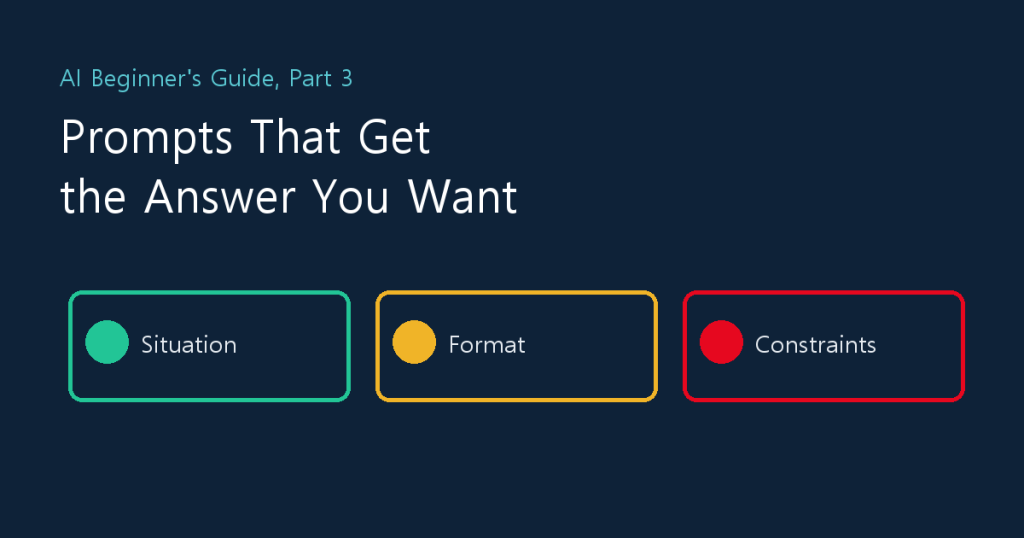
Ask the same AI the same thing, and one person gets an answer they can use while another says “that’s all so generic” and gives up. The difference is usually not the AI. It’s the prompt. In Part 3 we’ll practice the five things every prompt should include, compare weak and strong requests, and learn how to steer an answer you don’t like. If you missed earlier parts, see Part 1 (what it can do and its limits) and Part 2 (signing up and your first chat).
1. Vague Questions Get Vague Answers
Claude knows nothing about you. Your job, who will read the result, and what format you need are reflected only as far as you tell it. Ask “write an apology email” and you get a generic one that fits everybody; give it the situation and you get one that fits yours. Writing a good prompt doesn’t mean writing a long one. It means reducing what the AI has to guess.
2. Five Things to Put in a Prompt
| Element | What you tell it | Example |
|---|---|---|
| 1. Role | Who you are, and the viewpoint you want it to answer from | I run a small snack shop on a delivery app. |
| 2. Situation and goal | Why you need it and who will read it | I need an apology email for a customer whose order arrived 40 minutes late. |
| 3. Material | Source text, facts, or numbers to use | The customer’s message is below. (Paste only what’s safe to share.) |
| 4. Format | Length, structure, tables or lists | Five sentences or fewer, body only, no subject line. |
| 5. Constraints and tone | The voice you want and what to avoid | Polite but not stiff, no excuses. If you don’t know something, leave it blank instead of inventing it. |
You don’t need all five every time. Even just situation and goal, format, and constraints will noticeably improve the answer.
3. Weak vs. Strong Requests
| Task | Weak request | Strong request |
|---|---|---|
| Writing an email | Write an apology email. | I run a snack shop. Write an apology email to a customer whose order arrived 40 minutes late. Apologize without excuses and mention a 10% coupon on their next order. Polite but not stiff, five sentences or fewer. |
| Summarizing | Summarize this. | Below is a draft supplier contract. Give me the key points I need to know, as five items, since I have no legal background. Lead with amount, term, and termination conditions, and mark anything unclear as “needs checking.” |
| Brainstorming | Name my shop. | Suggest 10 names for a takeaway salad shop aimed at office workers in their twenties. Easy to pronounce, four syllables or fewer, and not similar to a famous existing brand. Add a one-line reason for each. |
4. Steering an Answer You Don’t Like
When the first answer disappoints, don’t start over. Stay in the same chat and say in one line what’s wrong. It’s much faster. Phrases that work well:
- “Cut it to half the length.”
- “Rewrite it in plainer words, with no jargon.”
- “Expand the second paragraph with a concrete example.”
- “Give me three more ideas in a completely different direction.”
- “Show the basis for this claim, and mark what you’re not sure about.”
5. Let the AI Ask You First
If you don’t know what to tell it, have it ask. Start like this:
I want to do [task] about [topic]. Before you answer, ask me three questions about what you need to know.
By answering its questions, you’ll naturally fill in the five elements.
6. Try It Yourself (10 Minutes)
Pick one common task from your work (an email, a summary, or a notice) and request it three times, each in a new chat so the results are easy to compare.
- Ask in one line only (for example, “write a notice”).
- Add the situation and the reader.
- Add format (length) and constraints (tone, what to avoid) on top of that.
Lay the three results side by side and you’ll see which piece of information changed the answer most. That instinct is the heart of prompting.
A prompt template to copy
I’m [your role]. Because of [situation and goal], I need a [deliverable] for [reader].
Reference material: [anything safe to share]
Format: [length, structure]
Constraints: [tone], [what to avoid]. If you don’t know something, don’t invent it; mark it “needs checking.”
7. When Things Go Wrong
| Symptom | Likely cause | Fix |
|---|---|---|
| The answer is too long or too short | No format given | Set length with numbers, like “five sentences” or “five items.” |
| The tone feels off | You didn’t specify one | State the tone (“polite but friendly”) and paste a sample of your own writing. |
| It makes things up | No source material to rely on | Paste the material and say “answer only from the text below; if it’s not there, say so.” |
| Part of a long request is ignored | Too much asked at once | Put the key conditions first and number them, or split the request into two or three turns. |
8. A Real Example: A Good Prompt Still Needs Checking
The prompt behind this blog’s automated publishing uses the same five elements: a role (a blog-writing agent), the situation and goal (what the company’s technical blog is for), material (the list of existing posts), format (length and HTML structure), and constraints (no internal details, no attacking competitors). Even so, as I described in Part 1, we wrote “always attach an image and tags” several times and the agent still skipped it. Instead of making the prompt even more insistent, we moved those steps into a program that runs them and verifies the result. A good prompt is a starting point; you still need a separate step that checks the outcome. That’s the lesson we took away.
9. Summary and What’s Next
- The five elements are role, situation and goal, material, format, and constraints. In a hurry, start with situation and goal, format, and constraints.
- Don’t start over when an answer disappoints. Stay in the chat and say in one line what’s wrong.
- If you’re unsure what to tell it, ask it to question you first.
In Part 4, we’ll upload PDF, spreadsheet, and image files to summarize and analyze them, working from a contract summary all the way to an email draft.