
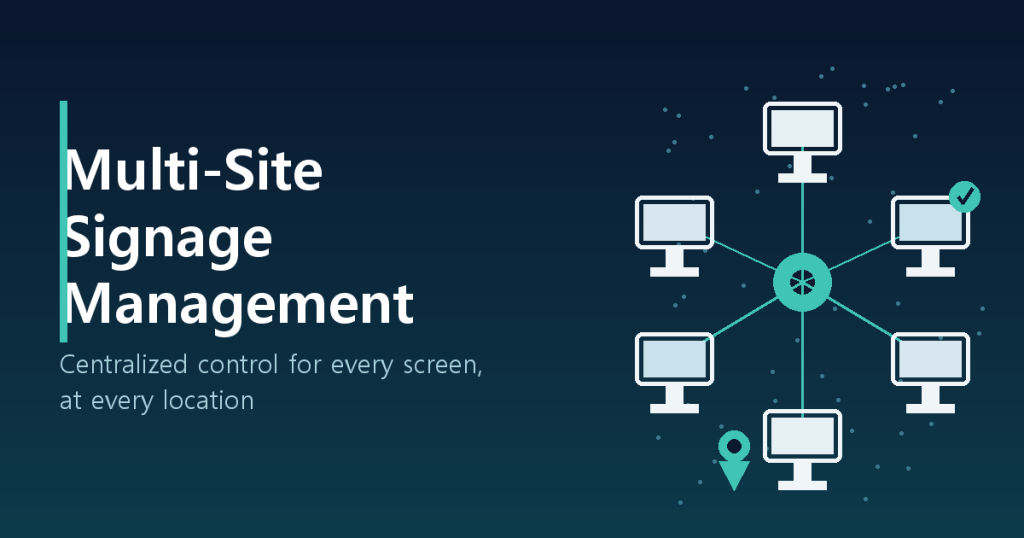
Running signage at one store is forgiving. Someone can walk over with a USB drive and fix whatever’s wrong. Running signage across thirty stores is a different problem entirely: you stop being able to answer basic questions like which screen is running which version, or whether a player in a regional branch has been offline since Tuesday. This post walks through how to structure a multi-site digital signage rollout on a CMS like dispy/Y-Board — group hierarchy, deployment workflow, device health monitoring, role-based access, and network realities — from an operational, not marketing, angle.
Why single-store habits break at scale
Most teams start by logging into each player individually to push content. That works fine for two or three screens. Once you cross into double digits, the cracks show up fast:
- Manual, per-store pushes mean some locations get the new promo and others don’t
- Head office updates a campaign asset, but half the stores are still running last week’s file
- A player going offline goes unnoticed unless store staff happen to report it
- Different local staff uploading content leads to off-brand screens nobody signed off on
The root cause is always the same: content, devices, and permissions are scattered at the store level with no structure tying them together. Fixing this means rebuilding around a group-based architecture.
Group hierarchy: organizing stores into a tree
The most common pattern in production is a three-tier hierarchy: Region → Brand → Store. Registering players into a tree like “Northeast → Brand A → Downtown Location” means content pushed at a higher level automatically cascades down to every store beneath it.
| Tier | Purpose | Example content |
|---|---|---|
| Global | Brand-wide assets, legal notices | Shared logo intro, safety disclaimers |
| Region | Regional promotions, language/weather variants | Northeast-only shipping promo |
| Store | Store-specific content, local events | Anniversary event video for one location |
Tags are a useful complement to the hierarchy. Groupings that cut across the tree — “flagship stores,” “undergoing remodel” — are better handled as tags than as tree nodes, since they let you target a cross-section of locations without restructuring the hierarchy itself.
Deployment workflow: scheduling, approval, rollback
As the store count grows, controlling who pushes what and when becomes as important as the content itself. Three capabilities should be considered non-negotiable for multi-site deployment.
- Scheduled push: Queue a new promo to go live simultaneously across every location at a set time (say, midnight on campaign launch day) instead of relying on someone clicking publish everywhere on time. This eliminates the gap where some stores show the new campaign and others don’t.
- Approval workflow: Let store-level staff upload local content, but require head-office review before it actually renders on screen. This is the minimum safeguard against off-brand or incorrect content going live by accident.
- Rollback: When a pushed asset has an error — a typo, wrong pricing, an outdated offer — you need to revert to the last known-good version immediately. This only works if the CMS stores deployment history as discrete versions, so verify that capability before committing to a platform.
Device health monitoring: catching offline players before customers do
At scale, assume that on any given day, some combination of hardware failure, network drop, or power issue is affecting at least one player somewhere in your fleet. The monitoring stack needs to assume this too.
- Heartbeat-based status checks: Each player should ping the CMS server on a fixed interval (every five minutes is typical), and a missed heartbeat should flip the dashboard status to offline immediately, not after someone happens to look.
- Threshold-based alerting: Auto-send an email or Slack alert once a player has been offline past a set threshold, say 30 minutes. Manually watching a dashboard stops scaling once you’re past ten locations.
- Remote reboot and diagnostics: The ability to reboot a player or pull logs without a site visit is where remote-control capability pays off inside a signage stack — OS-level access, not just content push, resolves most incidents without dispatching anyone.
- Firmware and player-app version tracking: Fragmented software versions across the fleet quietly accumulate compatibility issues. You want a single view of every player’s version and the ability to push updates in bulk.
Access control: separating HQ, regional, and store accounts
Most multi-site incidents trace back to permissions that were never properly scoped. A store-level account that can still edit global content is one mistake away from putting the wrong thing on every screen in the country. Role-based access control should be split into at least three tiers.
| Role | Scope | Notes |
|---|---|---|
| HQ admin | Full control over content, devices, and permissions, all locations | Keep this account list short; MFA mandatory |
| Regional manager | Deploy and approve content within their assigned region | No visibility into other regions’ stores |
| Store staff | Upload local content pending approval | No edit rights over global or other stores’ content |
Pair this with a process for deprovisioning accounts immediately on staff turnover. Stale store-level accounts sitting active for months are one of the more common security gaps in signage deployments — not because signage is uniquely risky, but because nobody owns the offboarding checklist.
Handling inconsistent network conditions across sites
Unlike a corporate HQ, small branch locations often run on inconsistent connectivity. Design for network variability as a given, not an edge case.
- Local caching: Players should download and store content locally ahead of playback, so a dropped connection means continuing to play the last synced content instead of going dark. A CMS that only supports live streaming to the player is a black-screen incident waiting to happen at the weakest-connectivity site.
- Bandwidth-aware scheduling: Push large video assets during off-hours (overnight, for example) rather than during store operating hours to avoid straining a branch’s limited connection.
- Timezone and NTP sync: For a nationwide rollout, every player needs a consistent timezone setting synced via NTP — otherwise scheduled pushes and dayparted content land at different real-world times at different stores.
Rollout checklist
Whether you’re standing up multi-site signage management for the first time or auditing an existing rollout, work through these in priority order.
| Priority | Item | Why it matters |
|---|---|---|
| 1 (must-have) | Three-tier group hierarchy: global / region / store | Prevents targeting mistakes on deployment |
| 2 (must-have) | RBAC with at least three permission tiers | Prevents one mistake from hitting every screen |
| 3 (must-have) | Heartbeat monitoring with offline alerting | Cuts down time-to-detection on incidents |
| 4 (recommended) | Version history and rollback on deployments | Fast recovery from bad pushes |
| 5 (recommended) | Local caching support confirmed | Protects weak-connectivity locations |
| 6 (recommended) | Remote reboot and diagnostics | Cuts truck rolls and operating cost |
Multi-site signage management isn’t about making prettier content — it’s about making hundreds of screens controllable as a single system. Get the group hierarchy, deployment workflow, device monitoring, access control, and network handling right, and the operations team retains the same level of control whether they’re running five screens or five hundred.